
Gamification and Accessibility: Designing Play for Learning
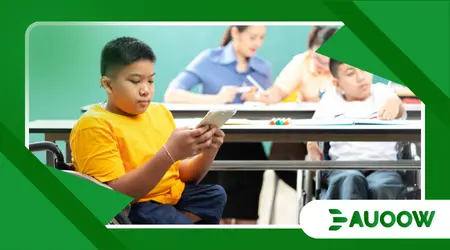
Gamification and Accessibility must lead our pedagogical discussions in 2025 as digital classrooms become the global standard for diverse learners.
We are witnessing a revolution where play-based mechanics finally meet universal design to ensure no student remains on the sidelines.
Educators and developers now realize that engagement without inclusion is a failed strategy.
By weaving adaptive technologies into game-like structures, we create environments that stimulate both the mind and the spirit of every learner.
How Does Gamification Improve Inclusive Education?
The intersection of Gamification and Accessibility allows us to dismantle traditional barriers that often alienate students with diverse neurological or physical needs.
Traditional tests often induce anxiety, but games offer a “safe-to-fail” environment where progress feels rewarding and achievable.
This shift encourages persistence and growth mindset. When we gamify lessons correctly, we prioritize the journey over the destination, allowing students to learn at their own unique, personalized pace.
Why Are Leveling Systems Great for Special Needs?
Leveling systems provide clear, incremental goals that help students with ADHD or executive dysfunction stay focused. These micro-objectives make daunting tasks manageable and offer immediate, positive feedback loops.
Structured rewards systems also reduce the fear of making mistakes. Instead of a failing grade, a student simply tries the “level” again, fostering a much healthier relationship with academic challenges.
++ Grading with Equity: Practical Approaches for Teachers
What Role Do Narrative Quests Play in Engagement?
Narrative quests transform dry curriculum into immersive adventures. This context helps students with autism spectrum disorder connect abstract concepts to concrete, story-driven scenarios that feel more relevant.
Stories act as a bridge between the student and the subject matter. By becoming the hero of their own learning story, students find intrinsic motivation that standardized worksheets could never provide.
Also read: Standardized Testing vs Inclusive Assessment: What Works Better?
How Does Real-Time Data Help Teachers Intervene?
Modern gamified platforms provide teachers with instant dashboards showing where students struggle. This data allows for immediate, empathetic intervention before a student feels discouraged or falls behind.
Teachers can adjust the “difficulty curve” of the game remotely. This ensures the challenge remains stimulating but never overwhelming for those requiring extra support or alternative instructional methods.
Read more: The Role of Peer Support in Inclusive Education
Can Social Leaderboards Be Truly Inclusive?
Social leaderboards often spark healthy competition but must be handled with care to avoid discouraging lower-performing students. Effective inclusive design uses “team-based” goals rather than individual rankings.
When students work together to unlock a class reward, they build social-emotional skills. This collaborative approach ensures that Gamification and Accessibility work to unite the classroom rather than divide it.

What Are the Technical Standards for Accessible Play?
Designing for Gamification and Accessibility requires adhering to rigorous technical standards like the Web Content Accessibility Guidelines (WCAG) 2.2. Developers must consider sensory, motor, and cognitive diversities during the initial coding phase.
Playable learning must support screen readers, high-contrast modes, and alternative input devices. Inclusion is not a feature we add later; it is the core foundation of a truly successful educational tool.
How Do Screen Readers Interact with Game Mechanics?
Screen readers require clear, descriptive alternative text for every visual element within a gamified lesson. If a student cannot “hear” the game’s inventory or map, the educational value is lost.
Developers must ensure that the navigation follows a logical tab order. This allows students with visual impairments to move through quest lines as seamlessly as their sighted peers.
Why is Multi-Modal Feedback Essential for Learning?
Multi-modal feedback uses sound, visuals, and haptics to confirm progress. If a student earns a badge, the game should flash, chime, and vibrate to celebrate.
This redundancy ensures that if one sense is impaired, others can process the success. It creates a rich, sensory-deep experience that reinforces the neural pathways associated with the new information.
What is the Importance of Customizable Input Controls?
Customizable controls allow students with limited motor skills to use eye-tracking software or specialized switches. Gamification and Accessibility succeed when the software adapts to the user’s physical capabilities.
Providing “slow-mode” options or removing timers is another vital step. Speed should never be the primary metric for intelligence, especially in an inclusive digital learning environment.
How Can Color Contrast Improve Cognitive Processing?
High color contrast and clear typography help students with dyslexia or low vision read instructions without strain. Avoid using color as the only indicator of a game state or a correct answer.
Using patterns or icons alongside colors ensures everyone can differentiate between a “red” danger zone and a “green” safe zone. This universal design approach benefits the entire classroom, not just those with identified needs.
Why Is the “Universal Design for Learning” the Future?
Universal Design for Learning (UDL) represents the pinnacle of Gamification and Accessibility by offering multiple means of representation and expression. It recognizes that there is no “average” student.
By providing choices in how students engage with content, we empower them to take ownership of their education. This autonomy is the highest form of respect we can show to our learners.
How Does Choice in Expressing Knowledge Empower Students?
In a gamified world, a student might choose to “defeat a boss” by writing an essay, recording a video, or building a digital model. Choice is the ultimate accessibility feature.
This flexibility allows students to play to their strengths. A non-verbal student might excel at a visual logic puzzle that demonstrates their understanding of physics more clearly than a verbal test.
What Statistical Research Supports Gamified Inclusion?
A 2024 study published in the Journal of Special Education Technology revealed that students using accessible gamified tools showed a 22% increase in time-on-task compared to traditional methods.
The research highlighted that the combination of Gamification and Accessibility significantly lowered the “affective filter,” allowing students to process complex information with far less stress. This is a powerful testament to the efficacy of inclusive play.
What Is a Real-World Example of Inclusive Game Design?
A prominent language-learning app recently introduced “Keyboard-Only” navigation and haptic-only modes for users who are deaf-blind. This allows students to complete their “daily streak” regardless of sensory limitations.
This original example shows that profit and inclusion go hand-in-hand. By expanding their user base to include everyone, they strengthened their community and proved that Gamification and Accessibility is the gold standard.
How Can We Compare Inclusive Learning to a Modern Park?
Think of inclusive learning as a modern playground. A traditional park has only stairs, but an inclusive one has ramps, sensory gardens, and braille signage.
Both parks allow children to play, but the inclusive one ensures every child, regardless of their mobility, can reach the top of the slide. Doesn’t every child deserve to reach the top?
What is the Path Forward for Schools in 2025?
Schools must prioritize budgets for platforms that prove their commitment to Gamification and Accessibility. We must move away from “one-size-fits-all” software that leaves vulnerable populations behind.
The future belongs to the innovators who see accessibility as a creative challenge rather than a legal chore. When we design for the margins, we create better experiences for the middle.
Elements of Inclusive Gamification
| Game Element | Accessibility Feature | Inclusive Benefit |
| Progress Bars | Screen Reader Support | Allows visually impaired students to track their own growth. |
| Timed Challenges | “No-Timer” Toggle | Reduces anxiety for students with processing delays or motor issues. |
| Color-Coded Rewards | Icon & Pattern Overlay | Ensures students with color blindness can distinguish reward types. |
| Social Quests | Text-to-Speech / Chat Templates | Enables non-verbal students to participate in group collaborations. |
| Instructional Videos | Closed Captions & ASL | Provides vital context for deaf or hard-of-hearing learners. |
In conclusion, Gamification and Accessibility represent the two halves of a modern, successful education system.
We have moved past the era where inclusion was an afterthought; today, it is the heartbeat of digital pedagogy.
By combining the psychological power of games with the technical requirements of universal design, we provide every student the tools they need to thrive.
This approach doesn’t just help “some” students; it enriches the educational experience for the entire global community.
The digital landscape is changing fast are you ready to make your classroom a place where everyone can play and learn? Share your experience with inclusive games in the comments below!
Frequently Asked Questions
Is gamification too distracting for students with ADHD?
Not if designed correctly. Effective Gamification and Accessibility use “minimalist design” to reduce sensory overload. Clear, focused goals and consistent UI help students with ADHD stay on track rather than causing distraction.
Are these accessible platforms more expensive?
While initial development costs might be higher, the long-term value is much greater. Accessible tools reach a wider audience and reduce the need for expensive, separate “special education” software, making them more cost-effective over time.
How can a teacher check if a game is accessible?
Look for a VPAT (Voluntary Product Accessibility Template) or check if the game supports standard browser accessibility tools. Try navigating the game using only a keyboard or a screen reader to see where the barriers exist.
Can gamification replace traditional teaching?
No, it is a powerful tool to supplement traditional teaching. Gamification and Accessibility should be used to reinforce concepts and provide alternative ways to engage, but the human connection with a teacher remains irreplaceable.
Does “easy mode” lower the standards of education?
Absolutely not. Accessibility features like “slow mode” or “text-to-speech” don’t make the curriculum easier; they make the interface more usable. The intellectual challenge remains the same; only the barriers to accessing that challenge are removed.
