
Why QR code menus accessibility still fails blind users today
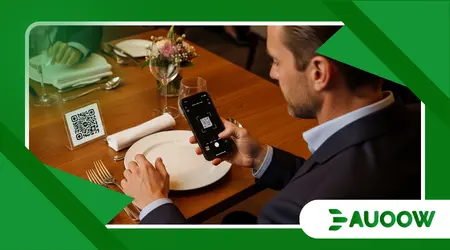
Understanding the nuanced reasons QR code menus accessibility still fails blind users today requires sitting at a dinner table in a bustling bistro, watching a patron with a white cane navigate a familiar frustration.
Imagine Mark, an architect who is blind, sitting down for a celebratory lunch. His fingers graze a small, laminated plastic square stuck to the corner of the wood grain.
He pulls out his smartphone, opens a scanning app, and waves the camera in the general direction of the table, hoping the autofocus catches the angle before the waiter arrives.
When the link finally chirps open, Mark doesn’t hear a list of appetizers; his screen reader announces: “Image, 8429, unlabelled button, link.”
The restaurant has simply uploaded a high-resolution JPEG of their physical menu. For the sighted diner, it is a sleek, touchless convenience born of pandemic necessity.
For Mark, it is a digital wall a silent notification that his autonomy is not on the menu today.
The Friction of Digital Menus
- Tactile Disconnect: Why locating a flat code on a flat surface remains a physical barrier.
- The PDF Trap: The shift from physical print to unoptimized image files that block screen readers.
- Aesthetic vs. Function: Exploring the structural detail that designers often ignore in hospitality tech.
- Legislative Lag: Why current ADA and European accessibility mandates struggle to catch up with QR trends.
- Practical Solutions: What an actually accessible dining experience looks like in 2026.
Why does a “contactless” solution create more contact for blind diners?
The irony of the QR code revolution is that it was marketed as a tool for independence. During the global health crises of the early 2020s, these codes became the standard for hygiene.
However, what rarely enters this debate is the tactile invisibility of the codes themselves.
If you cannot see where the sticker is placed or if it is centered, tilted, or obscured by a salt shaker you are forced to ask for help before you even begin to read.
There is a structural detail that tends to be ignored: a QR code is a visual-first bridge. For a blind user, even finding the bridge is a hurdle.
While some venues have begun using braille or tactile indicators to mark the code’s location, these are exceptions rather than the rule.
Without a tactile landmark, the very first step of the digital journey is a failure point, reinforcing a reliance on others that modern technology was supposed to dismantle.
++ How smart city accessibility affects everyday urban independence
How do unlabelled images create a “digital blackout”?
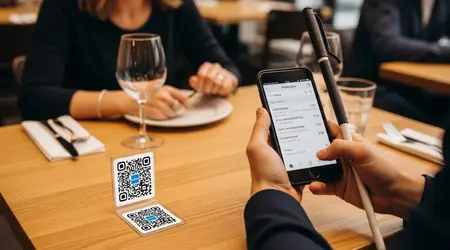
Once the code is scanned, the second barrier emerges within the smartphone’s browser. Many restaurateurs assume that “going digital” is synonymous with “being accessible.”
In reality, they often take the path of least resistance: uploading a picture of the paper menu.
To a screen reader, a JPEG or an untagged PDF is essentially blank space. It is a visual artifact with no text data to convert into speech.
This is the core reason why QR code menus accessibility still fails blind users today. When we observe with more attention, the pattern repeats across the service industry.
High-end restaurants invest thousands in interior design and curate artisanal wine lists, yet their digital interface the primary gatekeeper of their product is a low-utility image file.
It is a disconnect between the physical hospitality of the space and the digital hostility of the software.
Why has policy failed to keep pace with restaurant tech?
Legislation like the Americans with Disabilities Act (ADA) was written in an era of physical ramps and wider doorways.
While the courts have increasingly ruled that “places of public accommodation” include digital storefronts, the specific application to a QR code on a table remains a murky territory for many business owners.
They see the code as a convenience, not a requirement, assuming that a single, dusty braille menu kept behind the bar satisfies their legal obligation.
There is a historical echo here. In the past, accessibility was often treated as an “add-on” or a special request.
Today, we see that same mentality applied to digital tools.
Instead of building accessible HTML menus from the ground up, businesses offer a “workaround” that usually involves the waiter reading the entire menu aloud.
This isn’t inclusion; it is a temporary patch that denies the blind patron the same right to browse, compare prices, and change their mind in private.
What structural details are designers ignoring?
When a menu is built as a web page rather than an image, it should theoretically work for everyone.
However, even then, the pattern of failure persists through poor “ARIA” (Accessible Rich Internet Applications) labelling.
Imagine a blind user trying to select a steak. Their screen reader might find the text “Steak,” but if the “Rare,” “Medium,” or “Well-done” options are built as custom graphic buttons without alt-text, the user cannot complete the order.
In this scenario, the issue isn’t a lack of technology, but a lack of intentionality in the design phase.
Designers prioritize the “vibe” of the mobile site the fonts, the animations, the color palette while treating the underlying code as an afterthought.
It is a modern manifestation of an old problem: the assumption that a disabled user’s experience is a secondary concern, rather than a fundamental part of the customer base.
Also read: Ride-Sharing Accessibility: Are Uber and Lyft Meeting Promises?
Why does the “waiter will read it” excuse still persist?
The most common defense from restaurant management is that their staff is always available to assist.
While this sounds helpful on the surface, a more candid analysis suggests it misses the point of social inclusion.
For a person who is blind, the ability to read a menu at their own pace, check for allergens, and see the prices without a third party mediating the information is a matter of dignity.
When QR code menus accessibility still fails blind users today, it forces a performative dependence. It turns a private decision into a public conversation.
Think of a blind professional on a first date or a business lunch; having to have the “special” menu read to them while everyone else is scrolling independently creates a social friction that is entirely preventable.
True accessibility isn’t about getting the information eventually; it’s about getting it equitably.
What actually changed after the 2020-2024 digital surge?
| Feature | Pre-2020 Standard | 2026 Reality | Impact on Blind Users |
| Menu Format | Physical Braille/Large Print | QR Code to PDF/JPEG | Negative: Loss of direct tactile access. |
| Ordering Process | Verbal with Waiter | Mobile Web Interface | Mixed: Independent if coded well; impossible if not. |
| Legal Oversight | Focus on physical space | Emerging digital litigation | Positive: More awareness of “Digital ADA.” |
| Hardware | Human assistance | Smartphone + Screen Reader | Positive: Potential for total autonomy. |
How does past accessibility logic impact present digital gaps?
Historically, accessibility was a response to physical litigation. We built ramps because we were sued or because the building code changed.
In the digital realm, because the “building” is invisible, many owners feel they can cut corners.
They view the QR code as a temporary trend, yet in 2026, it has become the permanent infrastructure of the dining industry. This permanence demands a shift from “temporary fix” to “universal design.”
We are seeing a continuity of neglect. Just as old buildings were once grandfathered in to avoid adding elevators, many digital platforms are allowed to exist in a state of disrepair because they aren’t viewed as “essential” services.
But in a society that is increasingly cashless and paperless, the digital menu is the service. There is no longer a distinction between the plate of food and the information required to order it.
Read more: The Rise of Electric Wheelchair Bikes for Urban Commuting
What are the tangible consequences of this digital divide?
Beyond the emotional frustration, there is a literal economic exclusion happening. If a blind customer cannot navigate the menu, they are less likely to return.
They are less likely to recommend the venue to their social circles.
In a competitive market, ignoring a significant portion of the population because of a poorly coded website is not just an ethical failure; it is bad business.
Think of a student who is blind trying to grab a quick coffee between classes. If the only way to see the “seasonal specials” is through an inaccessible QR code, they lose that small, daily joy of choice.
They settle for the “regular coffee” because it’s the only thing they know for sure is there.
This erosion of choice is a quiet, daily tax on the lives of disabled people, a persistent friction that sighted people never have to pay.
The Path Toward Universal Design
The technology to solve this has existed for years. HTML is natively accessible; screen readers are built into every modern smartphone.
The reason QR code menus accessibility still fails blind users today is not a lack of bits and bytes, but a lack of intentionality.
We have often prioritized the convenience of the provider over the dignity of the consumer.
A candid look at our future suggests that a “digital-first” world must also be an “accessible-first” world.
As we move further into a reality where our phones are our primary interface with the physical world, the digital gates must be open to everyone.
It is time for the hospitality industry to realize that a seat at the table is meaningless if you can’t read what’s being served.
What has been your experience with digital-only menus? Have you ever encountered a QR code that made a simple task impossible, or have you seen a restaurant get it perfectly right? Sharing these observations helps document the gaps we need to close.
FAQ Editorial: Navigating the QR Menu Crisis
Can’t blind people just use OCR apps to read the menu?
Optical Character Recognition (OCR) apps are helpful tools, but they aren’t perfect. They struggle with stylized fonts, low lighting, and multi-column layouts.
Expecting a blind person to “hack” their way into a menu using three different apps is not a substitute for a properly designed, accessible web page.
Why don’t restaurants just keep a few braille menus?
While braille menus are useful, they are often out of date the moment a chef changes a seasonal ingredient.
Furthermore, only a small percentage of people who are blind or low-vision read braille fluently.
A truly accessible digital menu reaches a much wider demographic, including seniors with age-related vision changes.
What is the simplest way for a restaurant to fix this today?
The most effective fix is to ensure the QR code links to a “live” HTML text page rather than an image.
Using proper headers (H1, H2, H3) for different sections like “Breakfast” or “Drinks” allows a screen reader user to jump quickly through the sections just like a sighted person scans a page.
Are there any specific laws requiring QR menu accessibility?
In many jurisdictions, including the United States, the law clarifies that accessibility requirements apply to web content for businesses open to the public.
In the UK and EU, the European Accessibility Act is pushing for stricter standards that include digital services. The legal “grace period” for inaccessible tech is rapidly closing.
How can I tell if a menu is accessible before I scan it?
Currently, there is no universal visual “tag” to indicate an accessible code.
However, some advocates are pushing for a tactile frame or a specific icon that guarantees the linked content meets accessibility standards. Until then, it remains a game of chance for the user.
