
Accessible payment terminals could become a consumer right
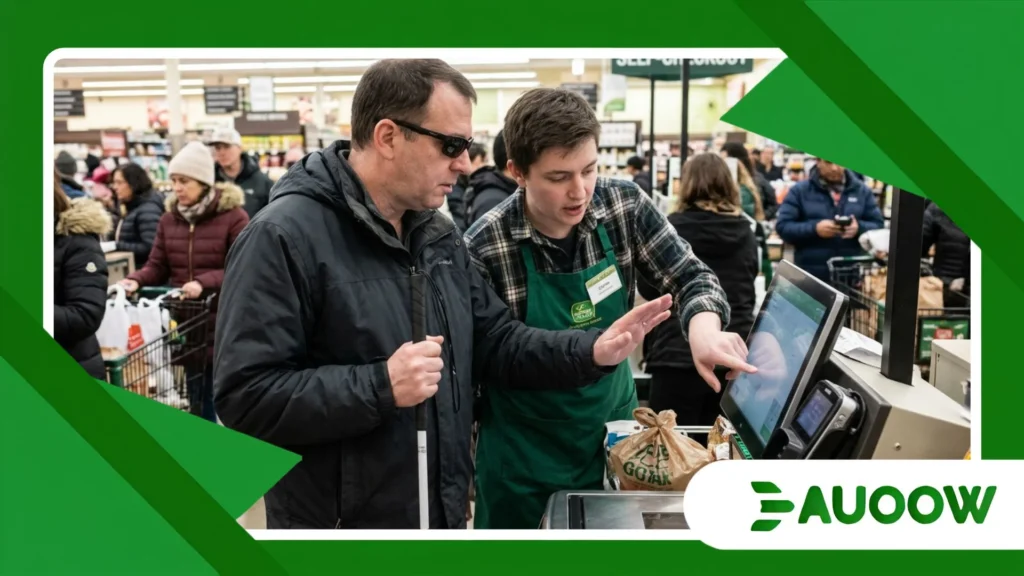
At a busy grocery store in downtown Boston, a shopper who is blind stands at the self-checkout lane, waiting for accessible payment terminals to become the standard rather than a lucky exception.
His hand hovers over a sleek, completely flat glass screen that emits no spoken feedback, offers no physical buttons, and requires tapping an invisible digital grid just to confirm a total and enter a PIN.
Within seconds, a store clerk steps over to read the display aloud and key in the numbers on his behalf, turning an ordinary financial errand into an unintended public disclosure.
This quiet loss of autonomy plays out thousands of times a day across coffee shops, pharmacies, transit stations, and restaurants around the world.
As physical cash recedes and touchscreen kiosks take over retail counters, an important regulatory and ethical shift is gaining momentum.
Policymakers, disability advocates, and consumer protection agencies are increasingly framing independent checkout access not as a voluntary corporate courtesy, but as a fundamental consumer right.
In This Editorial Analysis
- How the disappearance of physical keypads quietly eroded financial privacy at the cash register.
- The hidden design and procurement decisions that keep inaccessible checkout screens on store counters.
- How the European Accessibility Act and updated U.S. ADA enforcement are reshaping retail compliance.
- Real-world legal disputes, municipal transit precedents, and everyday dining barriers.
- A comparative look at legacy glass screens, tactile overlays, and hybrid universal hardware.
- What must happen next to guarantee equal financial autonomy for every shopper.
How Did Everyday Checkout Counters Become Digital Barriers?
For nearly four decades, paying by debit or credit card relied on hardware that was unintentionally inclusive.
The raised tactile dot on the number five key, the distinct shapes of the red cancel and green enter buttons, and a predictable twelve-key grid allowed blind and low-vision shoppers to complete transactions independently and privately.
Then came the commercial rush toward minimalist retail design and software-driven countertop tablets.
Payment processors replaced durable mechanical keypads with smooth capacitive touchscreens, prioritizing sleek aesthetics and lower assembly costs over physical usability.
What rarely enters this conversation is how rapidly an industry-wide design trend can dismantle decades of functional access without a single law being repealed.
Nobody passed legislation banning tactile buttons; the market simply assumed that every customer could see a glowing glass surface and tap the exact pixel on cue.
Why Do Flat Glass Screens Fail Blind and Low-Vision Shoppers?
A smooth pane of glass provides no spatial orientation when you cannot see the visual layout.
Even more challenging, many contemporary point-of-sale devices randomize the numeric keypad positions on the screen as an anti-theft measure meant to deter onlookers from guessing codes.
For a customer who relies on touch or audio cues, a randomized touchscreen grid makes independent PIN entry virtually impossible without built-in screen-reading software and physical navigation aids.
When accessible payment terminals are missing from a counter, people with visual disabilities are often forced to hand over their cards and whisper confidential security codes to strangers just to pay for groceries.
++ Why Disability Rights Require More Than Legal Protection
What Happens to Financial Privacy When You Cannot Enter Your Own PIN?
Looking closely at this everyday scenario, the barrier runs far deeper than minor inconvenience; it directly undermines consumer security and legal protection.
Most bank cardholder agreements explicitly instruct users never to share their PIN with anyone, yet inaccessible checkout kiosks routinely push disabled shoppers to break that rule simply to purchase basic necessities.
There is a structural contradiction here that rarely gets acknowledged in retail technology discussions.
When a customer has to dictate their PIN to a cashier, they lose financial privacy, face heightened exposure to potential fraud, and experience a public erosion of dignity during a routine moment that sighted customers finish in seconds.
++How Public Policy Can Reduce Everyday Accessibility Barriers
How Do Touchscreens Affect People With Motor or Cognitive Disabilities?
The friction extends well beyond people with vision loss. Shoppers with tremors, limited fine motor control, or arthritis frequently struggle with hyper-sensitive capacitive screens that register accidental brushes or demand rapid, precise multi-step taps across small icons.
Similarly, neurodivergent customers or older adults experiencing cognitive fatigue can feel overwhelmed by cluttered checkout interfaces that flash countdown timers, loyalty prompts, and tipping menus simultaneously.
Thoughtful hardware design incorporating clear audio pacing, physical key confirmation, and uncluttered screens makes checkout calmer and more reliable for everyone standing in line.
What Laws and Public Policies Are Reshaping Accessible Payment Terminals?
For years, disability rights laws struggled to keep pace with rapid shifts in commercial payment hardware.
In the United States, Title III of the Americans with Disabilities Act (ADA) has long required businesses open to the public to ensure effective communication and equal access, yet specific technical rules for self-service payment kiosks remained ambiguous for well over a decade.
Across major economies, a familiar pattern emerged: regulators initially hesitated to impose strict hardware standards on fintech companies, worrying that compliance mandates might slow down contactless innovation.
That hesitation is now giving way to enforceable rules as accessible payment terminals move toward the center of consumer protection policy.
Also read: The impact of assistive technology rights on public healthcare
How Is the European Accessibility Act Changing Global Retail Standards?
The most decisive regulatory milestone arrived with the enforcement of the European Accessibility Act (EAA), which took full effect across European Union member states in June 2025.
Under the EAA, payment terminals, banking kiosks, and self-service checkout machines placed on the EU market must meet clear functional accessibility requirements, including multi-sensory output, tactilely discernible controls, and compatibility with personal assistive tools.
Because major global payment manufacturers such as Verifone, Ingenico, and Stripe engineer hardware for international distribution, European consumer law is creating a measurable ripple effect worldwide.
Devices built to satisfy EU accessibility standards are increasingly serving as the default hardware blueprint for North American and international retailers as well.
Are U.S. Regulators Finally Closing the Self-Service Kiosk Loophole?
In the United States, the Department of Justice and the U.S. Access Board have steadily tightened oversight of self-service transaction machines and point-of-sale systems.
Updated federal guidance clarifies that merchants cannot deflect legal responsibility onto third-party software vendors when a countertop payment device excludes customers with disabilities.
Targeted civil rights litigation and structured negotiations led by advocacy organizations such as the National Federation of the Blind have further accelerated industry change.
Rather than risking costly legal disputes and public criticism, major pharmacy chains, grocery networks, and fintech providers are increasingly treating accessible payment terminals as a core component of retail compliance.
What Does Inaccessible Checkout Look Like in Real Life?
To understand why regulatory enforcement matters, it helps to step back from statutory language and observe how checkout systems behave on an ordinary afternoon.
Accessibility barriers rarely trigger obvious alarms; instead, they unfold through quiet hesitation, awkward apologies, and improvised workarounds at the counter.
A Documented Legal Battle Over Touchscreen Autonomy
Consider the landmark settlements and advocacy campaigns involving major U.S. retailers and point-of-sale providers over flat-screen checkout devices.
Customers who are blind documented repeated encounters at pharmacy counters and national retail stores where touchscreen-only machines lacked both tactile keypads and functioning audio guidance, preventing them from verifying purchase totals, declining cashback offers, or entering PINs privately.
As a result of these legal agreements, several national chains committed to installing physical tactile overlays, activating text-to-speech firmware via standard headphone jacks, and training store employees on how to switch on accessibility features promptly without treating disabled customers as an inconvenience.
How Public Transit Kiosks Set a Practical Policy Precedent
A clear example of public policy working effectively in practice can be found in modern municipal transit networks, such as London’s contactless fare gates and New York’s OMNY tap-to-pay readers.
Transit authorities recognized early on that if fare vending machines and turnstile readers were inaccessible, riders with disabilities would be shut out of public transportation altogether.
By requiring audio jack outputs, high-contrast visual prompts, recessed tactile frames, and distinct confirmation tones across station terminals, transit agencies demonstrated that rapid contactless payment and universal usability can operate smoothly at massive daily volume.
Imagine Trying to Split a Dinner Bill Without Sight
Picture a plausible everyday scene: a blind professional joins colleagues for dinner, and the server brings a portable wireless payment terminal to the table.
The handheld device prompts the customer to choose a tip percentage, review itemized taxes, and trace a signature across a smooth glass display.
Without spoken audio feedback or tactile navigation buttons, that diner cannot verify whether they are selecting an 18 percent tip or an 80 percent tip.
They are left either passing their unlocked card to a colleague or asking the server to read their financial choices aloud in front of the entire table a subtle loss of privacy that sighted diners rarely have to navigate.
Why Do Many Retailers Still Resist Accessible Payment Terminals?
If reliable accessible hardware already exists, why do so many independent cafés, restaurants, and neighborhood shops still rely on inaccessible tablets?
Looking closely at retail operations suggests that the obstacle is rarely deliberate exclusion; rather, it stems from fragmented vendor supply chains, passive procurement habits, and overlooked staff training.
Most small business owners simply accept whatever sleek countertop tablet their merchant services provider bundles into a payment processing contract.
When the default software disables voice guidance or omits a tactile keypad, merchants frequently remain unaware of the barrier until a customer encounters it firsthand at the register.
Is the Cost of Accessible Hardware Really a Valid Excuse?
There are solid reasons to question the familiar industry claim that accessible payment terminals are too expensive for small businesses.
Adding a molded tactile keypad shroud, enabling built-in text-to-speech software, or integrating a standard 3.5mm audio jack adds minimal cost to mass-produced hardware units, especially when compared with the recurring transaction fees merchants pay on every card swipe.
The more realistic operational hurdle lies in legacy replacement cycles and front-line staff training.
A terminal equipped with voice guidance offers little practical benefit if the accessibility setting is buried deep inside an administrative menu and the cashier on duty has never been shown how to activate it.
Comparing Today’s Payment Terminal Technologies
Evaluating how different point-of-sale setups affect consumer independence requires comparing hardware and software capabilities side by side.
The table below outlines how current retail payment options perform across key accessibility and compliance benchmarks.
| Terminal Category | Tactile Navigation | Audio & Voice Guidance | Independent PIN & Tip Privacy | Regulatory Readiness (2026) |
| Flat Glass Touchscreen Only | None; relies entirely on smooth capacitive glass | Rarely enabled; often lacks headphone jack or speaker cues | Very low; typically requires verbal disclosure to store staff | High compliance risk under ADA and EAA rules |
| Touchscreen with Tactile Overlay | Moderate; physical frame guides finger placement | Dependent on merchant activating voice software | Moderate; reliable when audio prompts are properly calibrated | Transitional upgrade for legacy countertop devices |
| Hybrid Tactile + Audio POS | High; physical 12-key pad with raised dot on key 5 | Built-in speech output via audio jack and speaker | High; supports autonomous verification and PIN entry | Well aligned with modern consumer access laws |
| Mobile Tap-to-Pay via Personal Device | Uses customer’s own smartphone accessibility settings | Full compatibility with VoiceOver or TalkBack | Highest; leverages familiar personal assistive tech | Strong emerging alternative when supported |
Can Consumer Law Guarantee Equal Access at the Cash Register?
Recognizing accessible payment terminals as a baseline consumer right rather than an optional accommodation fundamentally reshapes how commercial infrastructure is conceived and built.
Just as truth-in-labeling rules protect a shopper’s right to inspect ingredients and unit prices before making a purchase, accessible checkout standards safeguard every consumer’s right to verify charges, review tipping prompts, and protect their financial credentials independently.
Without those protections, the shift toward cashless commerce risks creating a two-tier marketplace where privacy and autonomy depend on physical ability.
Lasting progress depends on pairing consistent statutory enforcement with practical factory-floor engineering that manufacturers cannot treat as a secondary feature.
When regulators and payment networks require universal design from the outset combining physical tactile keys, clear spoken audio output, high-contrast typography, and smooth compatibility with personal smartphones accessibility stops feeling like an awkward special request at the register.
Ultimately, the fairness of a modern cashless economy is measured not by corporate mission statements or sleek industrial design, but by whether any person can walk up to a counter, authorize a payment in private, and leave with their dignity and independence intact.
Frequently Asked Questions
Are stores legally required to have accessible payment terminals?
In many jurisdictions, yes. Across the European Union, the European Accessibility Act mandates accessible payment terminals for newly deployed hardware.
In the United States, the Americans with Disabilities Act requires businesses open to the public to provide equal access and effective communication at checkout, which regulators and courts increasingly interpret as requiring accessible point-of-sale devices.
How does a blind person enter a PIN on a touchscreen payment machine?
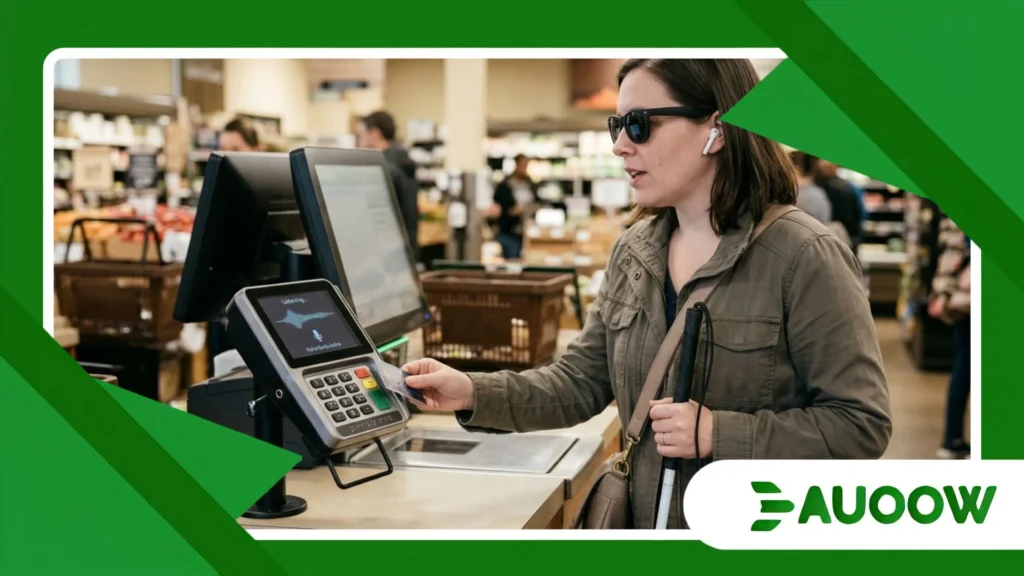
On an accessible touchscreen terminal, the device delivers spoken instructions through a standard headphone jack or built-in speaker, paired with either a physical tactile keypad overlay or predictable swipe-and-tap gestures similar to smartphone screen readers.
Without those audio and tactile features, a shopper who is blind cannot enter a PIN privately.
What can a small business do if its current payment terminal has no physical buttons?
Merchants can contact their payment processor to activate built-in text-to-speech accessibility modes, request certified tactile keypad overlays designed for their specific terminal model, and train front-line staff on how to turn on audio guidance quickly whenever a customer needs it.
Does contactless tap-to-pay solve checkout accessibility issues?
Tap-to-pay helps considerably for low-value purchases that do not require a PIN, signature, or tip prompt. However, whenever a transaction triggers a security PIN request, cashback selection, or digital tipping screen, consumers still rely on accessible audio and tactile controls to complete the payment independently.
Why is sharing a PIN with a cashier considered a consumer rights issue?
Forcing a shopper with a disability to say their PIN aloud compromises their financial privacy, increases vulnerability to fraud, and conflicts with standard bank security agreements.
Equal access to private, secure payment authorization is a foundational pillar of modern consumer protection.
