
What Makes a Virtual Meeting Truly Accessible?
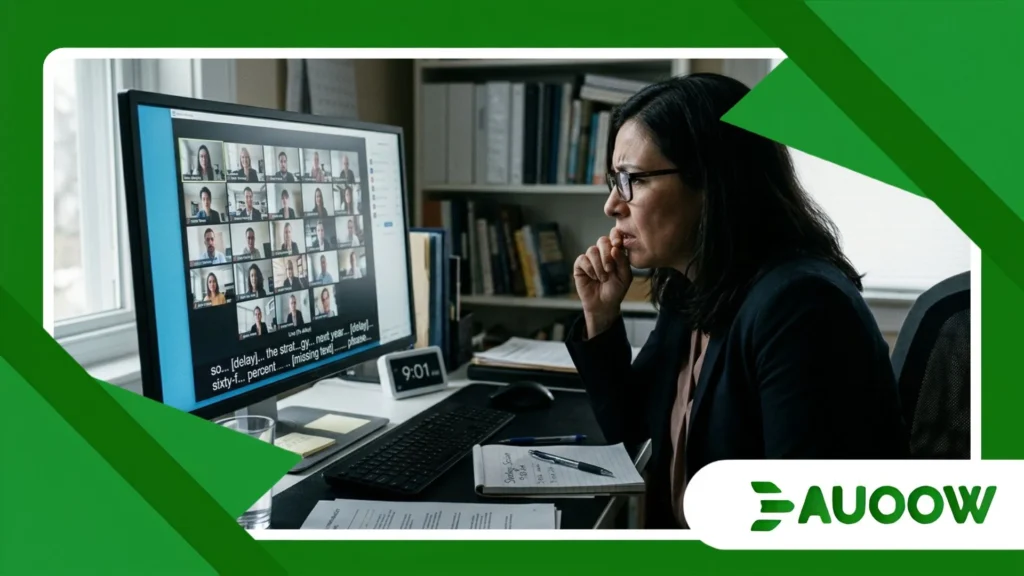
The meeting link arrived at 8:58 AM, just two minutes before a key strategy session. For Elena, a senior policy analyst who is deaf, the anxiety had started hours earlier.
As thirty video windows filled the screen, the host forgot to pin the sign language interpreter, leaving their feed lost on page three of the thumbnail grid.
Moments later, an automated live captioning tool came on with a seven-second delay, missing numbers and turning workplace terms into confusing fragments.
Elena sat before her monitor, fully prepared to lead the conversation, yet effectively left outside the discussion.
Understanding what makes a virtual meeting truly accessible requires recognizing that digital spaces often recreate the very barriers we have spent decades removing from physical conference rooms.
Inside This Editorial
- The Illusion of Digital Equity Why software updates haven’t solved corporate exclusion.
- Architectural Shifts Historical policy lessons applied to modern video platforms.
- The Human Friction Point Everyday workplace scenarios where design fails real users.
- Feature Comparison Evaluating basic compliance against true functional access.
- Structural Reform Redefining digital inclusion beyond standard checklists.
- Frequently Asked Questions Real-world answers for modern organizations.
Are We Confusing Software Features with Genuine Inclusion?
In the early days of widespread remote work, enterprise platforms were framed as natural equalizers.
The narrative was simple: physical stairs were gone, geographic distance was erased, and every participant occupied the exact same video tile.
Yet, what makes a virtual meeting truly accessible extends far beyond installing screen-sharing tools or turning on automated transcription features.
There is a structural detail that often goes unnoticed during corporate software procurement. IT teams tend to treat accessibility as a technical checklist a set of compliance boxes supplied by vendors rather than an ongoing practical responsibility.
A platform may technically support screen readers, but if a meeting facilitator presents an unannounced slide deck filled with uncaptioned charts, the software’s technical design provides little real help to a blind participant.
When we observe this dynamic closely, the pattern repeats across many organizations. Technology frequently moves faster than team readiness.
Companies install automated translation and captioning tools, assume the issue is resolved, and return to business as usual.
What gets lost in this approach is the difference between having a feature available and having functional equity.
An automated captioning tool with an 80% accuracy rate might look good in a product demo, but for a hard-of-hearing employee or someone who processes text differently, that remaining 20% error rate creates missing context, miscommunicated directions, and unnecessary fatigue.
++ How disability hiring incentives could reshape small businesses
Why do historical accessibility laws still matter in a digital workplace?
To make sense of current remote work challenges, it helps to examine the civil rights decisions of the late twentieth century.
When the Americans with Disabilities Act was established in 1990, alongside similar legal protections across Europe and Commonwealth nations, guidelines focused primarily on built environments.
Mandates targeted curb cuts, tactile paving, accessible restrooms, and entrance ramps. These physical changes were visible, concrete, and straightforward for inspectors to verify.
The core goal of those legal frameworks was never just about concrete and building codes; it was about ensuring equal participation in public life and economic opportunity.
Today, virtual meeting rooms function as key gather spaces and decision-making hubs in knowledge-based industries.
Yet, digital platforms are often built around assumptions of a “standard” participant someone with full sight, precise fine motor skills, steady broadband connectivity, and typical processing habits.
When team leaders overlook what makes a virtual meeting truly accessible, they repeat the architectural mistakes of earlier urban planning, such as constructing public facilities with massive front steps and adding ramps as an afterthought.
Retrofitting accessibility into software setups after launching a workflow is inefficient, costly, and consistently excludes people who need reliable access from the start.
Also read: How Skills-Based Hiring Could Benefit Professionals with Disabilities
What Happens When Design Principles Meet Everyday Workplace Realities?
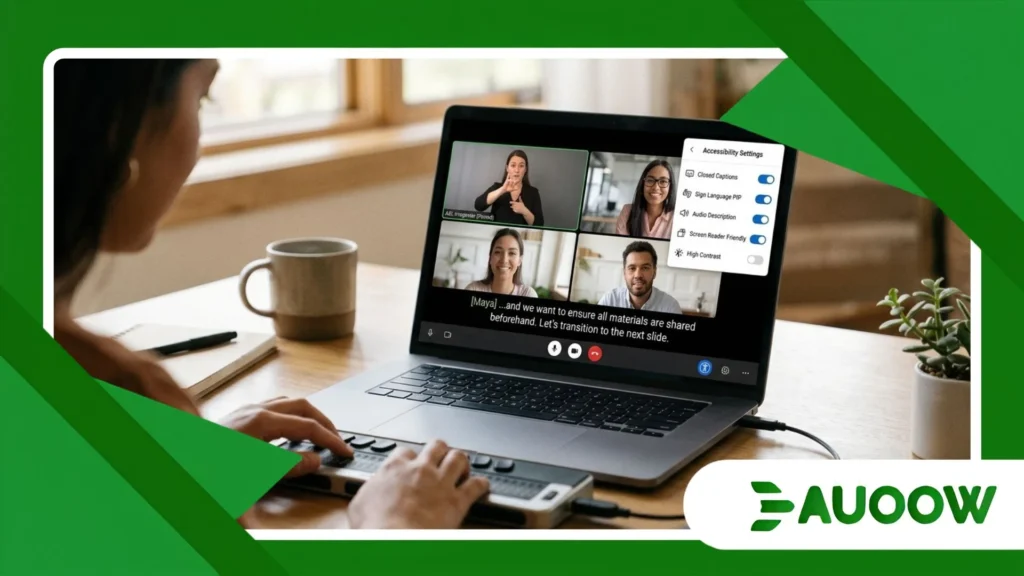
Take the experience of Marcus, a software designer who has limited hand mobility and relies on speech-to-text tools along with keyboard navigation to complete his work.
During a routine cross-departmental sprint meeting, the team facilitator opened an interactive digital whiteboard to host a fast-paced brainstorming exercise.
The host asked everyone to “grab a sticky note and drop ideas into the center cluster within two minutes.”
For Marcus, that specific whiteboard tool offered no direct support for keyboard navigation. While his colleagues moved their mice to create and group visual cards, Marcus was left watching without a practical way to participate.
The meeting moved forward on an assumption that everyone interacts with screens using precise hand movements.
The barrier here was not Marcus’s expertise or a lack of goodwill from his team; it was an unexamined reliance on visual-first, high-precision tools introduced without checking how accessible they really were.
Workplace exclusion rarely stems from intentional bias. Instead, it usually develops from routine oversight a persistent failure to plan for different ways people work and communicate.
When meeting hosts say “as you can see on this slide” without describing the visual information, or when multiple people speak over each other through low-quality microphones, they create invisible barriers that prevent skilled professionals from contributing fully.
How Do Standard Meeting Tools Compare to Meaningful Accessibility Standards?
Building work environments where every team member can contribute requires looking beyond default platform settings.
The following matrix outlines the difference between basic technical compliance and meaningful accessibility practices across common meeting needs.
| Virtual Meeting Dimension | Basic Technical Compliance | True Functional Accessibility |
| Audio & Speech | Automated captions enabled with default accuracy settings. | Professional CART captioning or verified low-latency captions alongside clear speaker identification rules. |
| Visual Content | Slide decks shared in real-time via video stream only. | Advance distribution of accessible source documents with alt-text and structured heading layouts. |
| Interface Navigation | Standard mouse-driven platform interface. | Full keyboard shortcut support, custom screen reader focus order, and custom layout pinning options. |
| Facilitation Protocol | Unstructured, open-mic discussion formats. | Moderated speaking queues, mandatory hand-raising features, and intentional verbal descriptions of visual material. |
| Bandwidth & Processing | High-definition video streams required for all participants. | Low-bandwidth audio modes and flexible camera-optional policies to support assistive device stability. |
Achieving functional access is not a decorative update.
Evaluating what makes a virtual meeting truly accessible requires us to review how we organize digital collaboration, making sure platform features support real participation rather than creating unnecessary hurdles.
Read more: Robotics and Automation: Threat or Opportunity for Disabled Workers?
What structural choices are keeping organizations from real progress?
There is a common belief in corporate tech conversations that software automatically becomes fairer over time.
It is easy to think that each platform update brings us closer to a frictionless workspace. However, practical experience shows that technology reflects the habits and values of the teams using it.
If an organization operates with a culture that values speed over clarity, or spontaneous conversation over structured interaction, its digital meetings will remain difficult for many participants to navigate, regardless of software features.
Real accessibility requires a steady, intentional approach to how meetings are run.
It means sending agendas and documents forty-eight hours in advance, checking visual materials with screen readers before sharing them, and moderating turn-taking so interpreters and captioners can accurately follow the conversation.
Changing this culture starts with rethinking how we measure a good meeting. A successful gathering is not simply one that starts on time and covers ten slides quickly.
It is a session where everyone invited can receive information clearly, formulate their thoughts without extra friction, and contribute fully without fighting through artificial digital barriers.
Re-Architecting the Digital Room
The transition toward remote and hybrid work represents a major shift in how modern organizations operate.
It offers real opportunities to broaden access for professionals with disabilities, remove long commute challenges, and connect teams across different locations.
However, these opportunities remain out of reach when digital workspaces duplicate the design oversights of physical offices.
Building accessible virtual spaces is not just an administrative task for technical support or legal teams. It is a central part of organizational design, professional respect, and everyday workplace inclusion.
When we design digital spaces that account for the varied ways people see, hear, move, and process information, we end up creating clearer, better-organized, and more productive environments for every person in the room.
The task ahead does not depend on waiting for new software; it depends on building the shared habits and discipline needed to make our daily meeting practices match the inclusive standards we set for our teams.
Frequently Asked Questions
Are automated captions sufficient for professional meetings?
Automated captions provide a useful starting point, but they often struggle in professional settings with complex terminology, diverse accents, or background noise.
For critical discussions, presentations, or events with deaf or hard-of-hearing team members, human-generated Communication Access Real-time Translation (CART) or professional sign language interpreters ensure accurate and reliable communication.
How far in advance should presentation materials be shared for accessibility?
Sharing presentation materials 24 to 48 hours before a meeting gives participants using screen readers, braille displays, or text-to-speech tools enough time to review complex data, check formatting, and prepare their input on equal footing.
Does turning off cameras improve meeting accessibility?
For some participants, flexible camera policies reduce cognitive strain and save internet bandwidth needed to run assistive tools smoothly.
At the same time, participants who rely on lip-reading or sign language need clear video feeds.
Hosts can manage this by asking active speakers to keep cameras on while letting other attendees choose what works best for their setups.
What is the most common mistake facilitators make in virtual meetings?
The most common mistake is relying heavily on visual material without describing it aloud such as referencing “this chart right here” without explaining the data points.
Additionally, skipping clear turn-taking leads to overlapping audio, which causes errors in captioning tools and makes tracking conversations difficult for people using hearing technology.
