
How Accessible Are Popular Educational Apps in 2026?
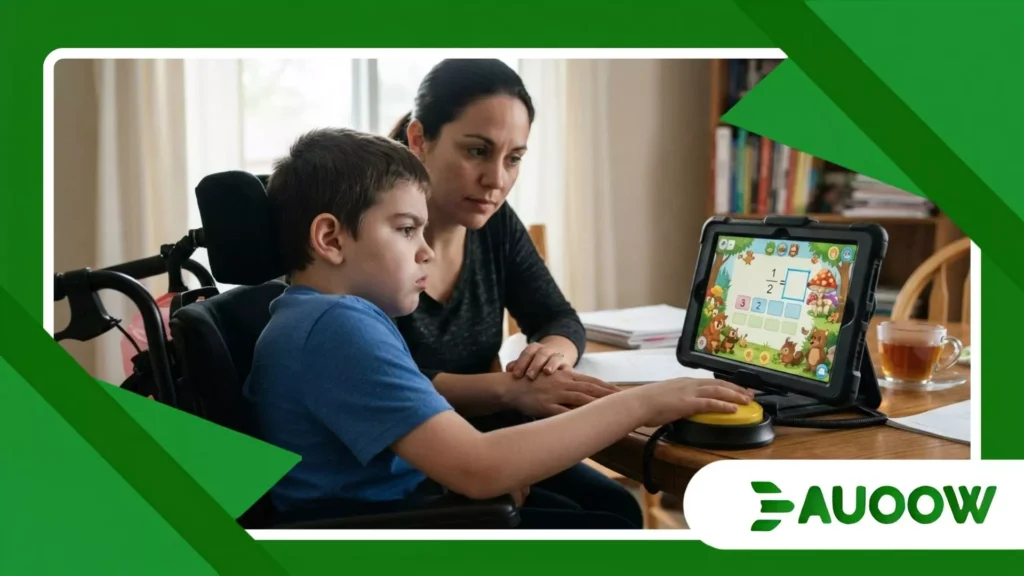
When ten-year-old Lucas sits down for his daily math exercise on his school-issued tablet, his mother doesn’t measure his progress by his score.
She measures it by how many minutes pass before he hits a wall. Lucas lives with cerebral palsy and uses switch-access software navigating digital interfaces through a large button placed near his head.
Most mornings, bright interface designs fail to read his inputs, leaving his cursor stuck around background graphics.
It is a quiet, frustrating routine that unfolds in households around the world, raising questions about how usable popular educational apps in 2026 actually are when dynamic interfaces meet everyday physical and cognitive diversity.
Key Focus Areas
- The Illusion of Inclusion: Why high downloads rarely equal accessible design.
- The Engine of Gamification: How timers, streaks, and drag-and-drop mechanics exclude users.
- Regulatory Push vs. EdTech Reality: The impact of global laws like the European Accessibility Act and Title II updates.
- A Comparison of Accessibility Dimensions: Evaluating major learning app frameworks in 2026.
- Editorial FAQ: Practical answers on educational app compliance and student rights.
Why do beautifully designed learning tools still fail disabled students?
For over a decade, educational technology promised to broaden access to learning. Digital platforms aimed to replace static, uniform textbooks with adaptable tools built to support different learning styles.
Yet when examining why many learners remain sidelined, clear patterns show how visual polish can mask underlying design barriers.
In software development, visual modernism is frequently mistaken for genuine usability. Clean interface layouts with floating icons, subtle color gradients, and animated transitions win industry praise, but they can create serious hurdles for screen reader navigation or switch-access tools.
When code lacks clean semantic structure or image buttons omit descriptive text, screen readers like Apple’s VoiceOver or Android’s TalkBack simply read “unlabeled button” to the user.
Across different subject areas, these patterns remain common. Math platforms frequently rely on visual drag-and-drop equations that lack alternative keyboard controls.
Language apps depend on rigid voice recognition that often fails to process speech variations or dysarthria.
While the technical solutions to these issues are well understood, accessibility is still often treated as an after-the-fact patch rather than a foundation of original software architecture.
++ Preparing Disabled Students for Career Success Before Graduation
How do gamification mechanics inadvertently build sensory and cognitive walls?
Gamification remains a dominant design direction across learning software. Platforms use countdown timers, public leaderboards, daily streak counters, and rapid visual rewards to drive user interaction.
While these elements can keep many students engaged, they can also introduce significant barriers for neurodivergent learners and students with motor conditions.
In a classroom using a fast-paced quiz app, speed often determines score. Students must read a question, process multiple choice options, and submit an answer within seconds.
For a student with dyslexia or an information-processing delay, the barrier is rarely the subject matter it is the pressure imposed by the short time window.
Gamification mechanics fundamentally alter the learning experience when poorly adapted.
When software penalizes a student for requiring extra time, or when high-contrast flashing animations cause sensory strain, the tool ceases to evaluate subject comprehension and instead tests a student’s ability to adapt to a narrow sensory standard.
Also read: Inclusive Education in the Middle East: Emerging Opportunities
What happens when access depends on individual advocacy?
Navigating accessibility options without dedicated technical support can be an exhausting effort for families.
A mother supporting a blind high school student spent weeks communicating with an educational publisher to request text descriptions for complex visual diagrams.
The technical support staff repeatedly suggested using a larger monitor, illustrating a common disconnect regarding visual impairments and screen-reading technologies.
When evaluating learning tools, the burden of identifying, reporting, and troubleshooting basic access barriers still falls primarily on families.
Instead of receiving accessible tools out of the box, parents and students frequently end up acting as informal accessibility auditors for software platforms.
What is the connection between past legal standards and today’s software compliance?
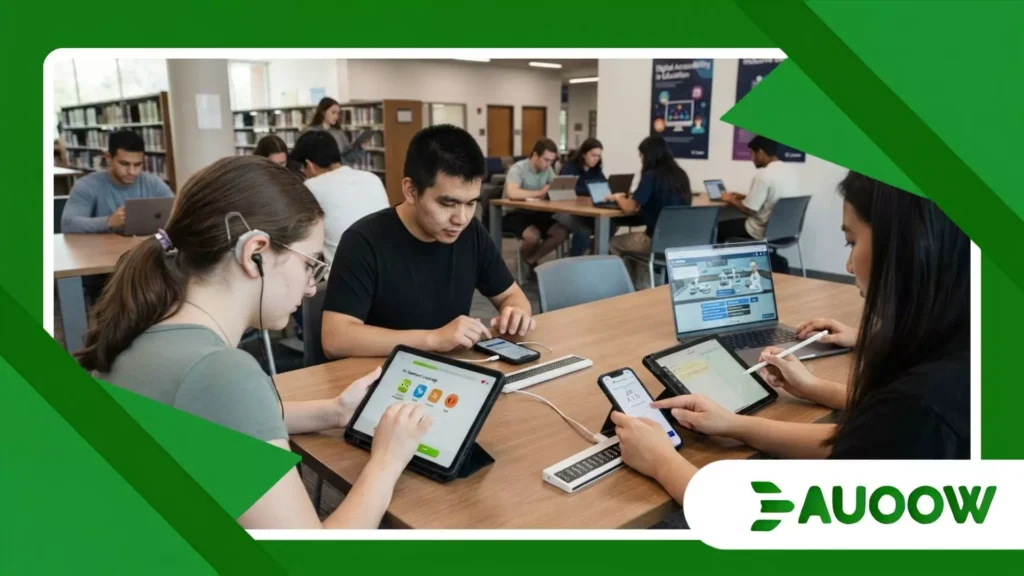
Digital accessibility standards are firmly established, even if adoption across the edtech sector has been uneven.
Guidelines like Section 508 of the US Rehabilitation Act and the Web Content Accessibility Guidelines (WCAG) have long provided baseline technical parameters for digital tools.
However, implementation in software product management has historically lagged behind physical infrastructure.
While public schools routinely ensure physical buildings feature ramp access, many digital tools introduced into classrooms continue to fall short of WCAG 2.1 or 2.2 AA standards. The regulatory framework is shifting significantly.
With the ongoing implementation of the European Accessibility Act (EAA) and updated Title II rules under the Americans with Disabilities Act, public institutions and software creators face clearer obligations regarding accessible digital design.
Treating digital access as an optional feature is increasingly at odds with legal compliance.
Why does institutional procurement hold the key to systemic change?
Systemic improvements in software design often accelerate when institutional purchasing requirements change.
When state education departments or regional school authorities require documented compliance before approving contracts, software roadmaps adapt quickly.
Product updates around accessibility occur far more consistently when compliance directly impacts market availability.
As institutional buyers face legal responsibilities for software accessibility, verifiable compliance with standards like WCAG 2.2 AA is becoming a standard requirement during procurement reviews.
Read more: Africa’s Innovative Approaches to Inclusive Learning
How do socio-economic inequalities compound digital accessibility barriers?
While school districts with substantial funding can invest in specialized assistive devices, dedicated support personnel, and customizable software platforms, under-resourced schools often rely on free or low-cost commercial applications.
In these settings, an inaccessible app creates a immediate barrier to basic coursework, study materials, and group activities.
Socio-economic factors directly influence how accessibility barriers are experienced.
A student using an older mobile device with a screen reader is far more likely to encounter performance lags, unaligned layouts, and unresponsive interface controls than a student with access to newer hardware running updated operating systems.
Achieving meaningful digital equity requires treating screen reader support, adaptable typography, and alternative input options as basic functional expectations across all educational software.
Evaluating Accessibility Profiles Across Educational Software Models
Comparing how various educational software formats handle core accessibility dimensions highlights the practical differences in current app architecture.
| App Category / Dimension | Gamified Language & Micro-Learning | Interactive Quiz & Assessment Tools | Enterprise Learning Portals (LMS) |
| Screen Reader Support | Fragmented; often skips animated prompts | Improving; basic text-to-speech built-in | Strong; robust semantic markup compliance |
| Alternative Inputs | Limited; relies heavily on fast touch gestures | Moderate; keyboard shortcuts available | High; full keyboard and switch navigation |
| Time & Sensory Controls | Low; strict timers and intrusive audio cues | Variable; optional extended timers | High; highly customizable UI and timing |
| Cognitive Load Flexibility | High distraction; dense visual rewards | Moderate; high-contrast themes offered | Clean layouts; focused reading modes |
| Primary Failure Point | Speed penalties and voice recognition | Fast-paced group competition pressure | Complex file format incompatibilities |
Technical Foundations for Inclusive Product Design
Building accessible educational software does not mean removing active engagement or visual quality.
Instead, it requires integrating accessibility considerations directly into early product design and software development sprints.
Including users with diverse accessibility needs during product testing helps engineering teams spot usability flaws early in development.
Simple features such as options to adjust or turn off countdown timers, reduce screen movement, modify text formatting, and regulate audio settings allow a rigid interface to become a flexible learning environment.
When examining popular educational apps in 2026, the core lesson is straightforward: technology alone does not create accessibility; deliberate design choices do.
Building for varied physical and cognitive needs from the start allows digital tools to serve all students effectively.
Editorial FAQ
Are educational apps legally required to be accessible to students with disabilities?
Yes. In many jurisdictions, educational applications used by public institutions must meet established accessibility standards.
In the United States, Title II of the ADA and Section 504 require equal access to digital educational resources, while the European Accessibility Act sets compliance standards across commercial and educational software environments in the EU.
What is the most common accessibility flaw found in modern learning apps?
Incomplete screen reader compatibility remains one of the most frequent issues.
When interactive visual elements lack semantic labels or alternative text, screen readers cannot communicate their function, making core features inaccessible to individuals who are blind or have low vision.
How does gamification affect students with sensory processing differences?
Gamification elements like sudden audio effects, flashing visuals, and rapid countdowns can cause sensory fatigue or cognitive strain.
When platforms penalize users for taking longer to navigate an exercise, the app measures speed rather than actual subject understanding.
Can an app be engaging and fully WCAG compliant at the same time?
Accessibility and high engagement work well together. Modern inclusive design principles emphasize multimodal interaction offering visual, auditory, and practical input options.
Providing customizable preferences, such as adjustable timers or high-contrast viewing modes, maintains interactive elements while allowing students to tailor the interface to their needs.
