
Launching a Podcast as a Disabled Entrepreneur: Tools and Tips
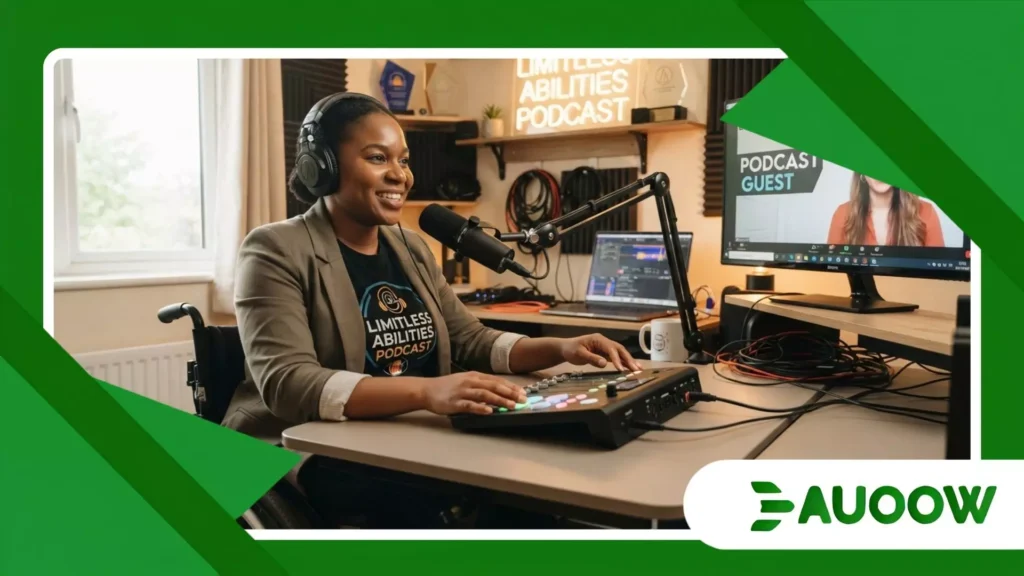
The desk setup looks almost identical to any other home studio on social media: a warm directional lamp, a heavy broadcast boom arm anchored to oak wood, a pop filter, and a thick braided USB cable resting beside a mechanical keyboard.
When Marcus adjusted his chair for his first studio sound check, he realized that launching a podcast as a disabled entrepreneur required far more than buying high-grade microphones or subscribing to a cloud hosting platform.
His right hand affected by cerebral palsy could not exert the precise downward pinch needed to lock the mic arm swivel clamp into position. The heavy boom arm simply slowly collapsed onto the wood with a quiet, dull thud.
For three full weeks, his pilot interview sat completely untouched on a drive simply because adjusting physical audio hardware demanded hand dexterity that mainstream equipment design completely ignored.
Key Perspectives in This Analysis
- The physical and digital frictions hidden behind standard audio production workflows.
- How structural market dynamics force disabled creators to innovate beyond standard tools.
- Historical shifts from early telecommunications access to modern digital broadcasting tools.
- A realistic evaluation of assistive hardware and software adapted for real-world studio independence.
- Practical answers to pressing questions about studio setup, workflow sustainability, and media access.
Why Does the Audio Production Space Still Build Invisible Barriers?
We often celebrate independent broadcasting as a frictionless meritocracy where anyone with an internet connection can share an idea.
Yet when we examine who actually builds audio software, an uncomfortable pattern repeats itself across digital workplaces.
Digital audio workstations commonly known as DAWs were originally designed to replicate physical studio mixing consoles from the twentieth century.
That design legacy lives on in visual interfaces packed with tiny virtual knobs, dense visual meters, and non-scalable drop-down menus.
For a creator who relies entirely on screen readers, head-trackers, or single-switch access, navigating a multitrack timeline often turns into an exhausting ordeal.
What rarely enters this debate is that accessibility in media production is still treated as an afterthought or a specialized feature rather than a core infrastructure requirement.
When software developers treat screen reader compatibility as a low-priority ticket, they quietly decide who gets to participate in modern digital broadcasting.
The economic barrier is just as steep. High-end adaptive hardware such as specialized mouth-operated controllers or custom foot pedals carries a heavy price tag often labeled as “specialized medical equipment.”
Standard audio recording gear receives massive benefits from consumer manufacturing efficiency, but assistive gear remains locked behind high prices.
Consequently, launching a podcast as a disabled entrepreneur frequently forces creators to absorb extra costs just to achieve basic physical independence inside their own production rooms.
What does physical studio independence actually require?
Achieving true studio independence goes far beyond buying an accessible microphone setup.
It requires designing an entire workspace from physical cable management and acoustic panel placement to adaptive desk height and digital file organization around individual body mechanics.
When creators cannot independently adjust a mic angle or trigger a recording deck, their editorial rhythm breaks, turning creative work into a series of physical hurdles.
++ Bootstrapping vs Venture Capital: What Works Better for Disabled Entrepreneurs?
How Do Historical Policy Decisions Shape Today’s Creator Economy?
To understand why independent audio media remains structurally challenging for disabled producers, we must look at how communications legislation evolved over the past fifty years.
When the United States passed the Rehabilitation Act of 1973 specifically Section 508 the legal mandate focused strictly on federal agencies and publicly funded telecommunications networks.
Decades later, the Americans with Disabilities Act of 1990 expanded protections in physical public accommodations, but its application to digital spaces remained legally ambiguous for decades.
Because early telecommunications laws viewed disabled people primarily as passive consumers of broadcast media such as adding closed captioning or audio descriptions to television shows the legal framework completely overlooked disabled people as media producers.
When independent podcasting emerged in the mid-2000s, it operated entirely inside an unregulated commercial market.
There was no public policy requiring digital audio editing tools or hosting platforms to be natively accessible to creators who wanted to produce content independently.
When we observe with more attention, the pattern repeats itself in modern creator platforms.
While modern regulations increasingly push streaming services to provide closed captions for listeners, almost no policy regulates the accessibility of creator-facing tools.
This historic legal gap leaves disabled producers entirely dependent on vendor goodwill or their own technical ingenuity.
Therefore, launching a podcast as a disabled entrepreneur means working within a broadcast ecosystem designed around physical standards that public policy never forced manufacturers to update.
Also read: Why the Post-Remote Work Backlash Is Hitting Disabled Workers First
What changed silently as media tools shifted to the cloud?
As media production moved from local desktop software to browser-based editing suites and web applications, accessibility took two steps forward and one step back.
Cloud services enabled instant automated transcription and browser-based remote recording, which eliminated many traditional studio barriers.
However, many of these same platforms rely heavily on custom canvas rendering and unlabelled visual buttons, rendering them completely unusable for creators relying on screen readers or keyboard navigation.
Imagine a visually impaired journalist attempting to edit a long-form investigative audio series using a popular cloud platform.
The automated transcription engine quickly generates script text, but the visual wave-editor completely lacks accessible ARIA labels or keyboard shortcuts.
To splice audio accurately, the creator must export files, process them locally on legacy desktop software, and re-upload them.
That tedious workaround doubles their working hours, illustrating how incomplete digital migrations create subtle, persistent productivity penalties for disabled professionals.
Which Production Tools Provide Real Studio Independence?
In my reading of this scenario, the most effective studio setups rarely come from off-the-shelf “accessible bundles.”
Instead, they emerge when producers thoughtfully combine open-source software, flexible hardware interfaces, and intelligent automation.
The table below outlines key operational areas, comparing conventional broadcast equipment with adaptive setups that enable true studio autonomy.
| Production Dimension | Standard Consumer Equipment | Adaptive Production Setup | Operational Impact |
| Microphone Mounting | Manual spring-tension boom arms requiring hand grip force. | Motorized desktop mounts or friction-locking arms with oversized levers. | Eliminates physical strain; allows precise height and angle adjustments with minimal force. |
| Audio Editing (DAW) | Visual-heavy workstations with unlabelled canvas controls. | DAWs paired with screen-reader scripts or customizable keyboard mapping. | Restores precise multitrack editing autonomy through reliable, non-visual feedback loops. |
| Episode Scripting | Standard word processors with manual page scrolling. | Voice-to-text dictation suites combined with dynamic foot-pedal teleprompters. | Sustains vocal delivery rhythm without requiring manual paper or touchscreen handling. |
| Remote Recording | Complex browser apps reliant on precise mouse clicks. | Keyboard-navigable web tools featuring clean DOM hierarchies. | Ensures reliable guest interviewing and studio-grade local multitrack audio capture. |
There is a structural detail that is often ignored: true workflow efficiency relies heavily on reducing fatigue. For many creators with chronic pain, fatigue, or motor limitations, physical energy is a finite daily budget.
If a producer spends half their energy adjusting clamps, fixing broken digital layouts, or fighting unlabelled interfaces, they have little left for high-level interviewing, storytelling, and strategic business development.
The most honest analysis suggests that technology alone cannot solve these structural friction points without thoughtful workflow design.
Creators who build sustainable media businesses usually focus heavily on automation early on.
Automating file exports, employing speech-to-text macro triggers, and using voice-controlled switch engines allow producers to focus on high-value creative editorial decisions.
Consequently, launching a podcast as a disabled entrepreneur transforms from an uphill physical struggle into a structured, highly repeatable media operation.
Read more: Robotics and Automation: Threat or Opportunity for Disabled Workers?
How do adaptive hardware setups alter daily recording routines?
Consider a practical scenario: a producer with severe hand tremor or limited finger mobility uses a programmable foot switch board mapped to global system hotkeys.
Pressing the left pedal starts local recording; pressing the center pedal drops an edit marker; pressing the right pedal stops the tape and executes an auto-leveling macro script.
This simple setup completely removes the need for fine mouse movements, transforming an intimidating multitrack editing workflow into a seamless physical routine.
What Actually Changed After Adaptive Technology Entered the Studio?
A decade ago, a disabled individual wanting to start an independent audio show faced two major roadblocks: expensive, specialized recording spaces and closed hardware ecosystems.
Broadcast production required physically sitting at a fixed desk, handling heavy mixing consoles, and manually managing complex cabling.
If you could not physically operate that hardware, you had to hire an engineer, turning an independent project into a costly enterprise.
The emergence of flexible USB interfaces, programmable switch engines, and AI-assisted transcription tools completely transformed this environment.
Today, an entire broadcast workflow can be controlled using voice commands, single-switch inputs, or eye-tracking systems.
Transcription engines instantly convert spoken words into accurate text, making accessible show notes and social content creation far easier and faster.
Yet, these technological strides highlight a continuing structural divide. While consumer software offers more flexibility than ever, commercial platforms rarely design their software for disabled creators from day one.
In practice, launching a podcast as a disabled entrepreneur still means acting as your own workflow engineer continually adapting, remapping, and troubleshooting tools that were built without your needs in mind.
Why is editorial autonomy more critical than simple accessibility?
There is a major difference between passive access and complete editorial autonomy. Passive access means someone else sets up your studio so you can speak into a microphone.
Complete editorial autonomy means you can plan, record, edit, mix, publish, and monetize your content whenever you choose without needing external physical help.
Autonomy gives creators full control over their editorial schedules and business models.
How Do Sustainable Audio Workflows Scale in the Real World?
Building a successful podcasting business requires a clear strategy for distribution, audience engagement, and monetization.
However, disabled business owners must balance these goals alongside realistic production limits.
Scaling a show without burning out means choosing sustainable production schedules over rigid, traditional daily or weekly release cycles.
Season-based publishing formats, for example, offer a far more sustainable rhythm than endless weekly release schedules.
Batch-recording several interviews during periods of high physical energy creates a content buffer for days when health challenges arise.
This operational flexibility protects the creator’s health while maintaining content quality and keeping sponsor commitments on track.
Monetization strategy also demands careful planning. Direct audience support such as member subscriptions, premium RSS feeds, and specialized educational downloads often provides more predictable revenue than programmatic ads alone.
By building a loyal, highly engaged core audience, disabled producers create a stable economic foundation that supports custom workflow tools and additional production help over time.
Ultimately, launching a podcast as a disabled entrepreneur is a powerful declaration of business leadership and creative independence in a modern media landscape.
Frequently Asked Questions
What are the most accessible software options for editing audio without a mouse?
Digital audio workstations like Reaper offer deep screen reader support and extensive keyboard customization scripts.
Audacity also provides strong keyboard navigation shortcuts, making both excellent options for mouse-free editing workflows.
How can a podcaster with limited energy or chronic fatigue manage a regular publishing schedule?
Adopting a seasonal publishing model and batch-recording episodes during peak energy days provides a strong buffer against burnout.
Automating post-production tasks like transcription and file exports also saves valuable physical energy.
Are there funding resources available to help disabled entrepreneurs buy adaptive studio gear?
Yes, many state vocational rehabilitation programs, assistive technology grants, and specialized non-profit business funds cover adaptive equipment costs for disabled creators launching commercial enterprises.
What is the most effective way to handle episode transcripts without adding hours of manual labor?
Combining automated transcription engines with a brief manual editing pass provides fast, highly accurate episode transcripts.
This ensures full accessibility for deaf and hard-of-hearing listeners without adding heavy manual work.
How can disabled creators handle live remote interviews when traditional web call platforms are inaccessible?
Selecting browser-based recording platforms built with standard HTML controls allows seamless screen reader navigation and keyboard shortcuts.
Testing guest connection links beforehand ensures smooth, accessible recording sessions.
