
Accessible QR Codes: Are They Helping or Creating New Barriers?
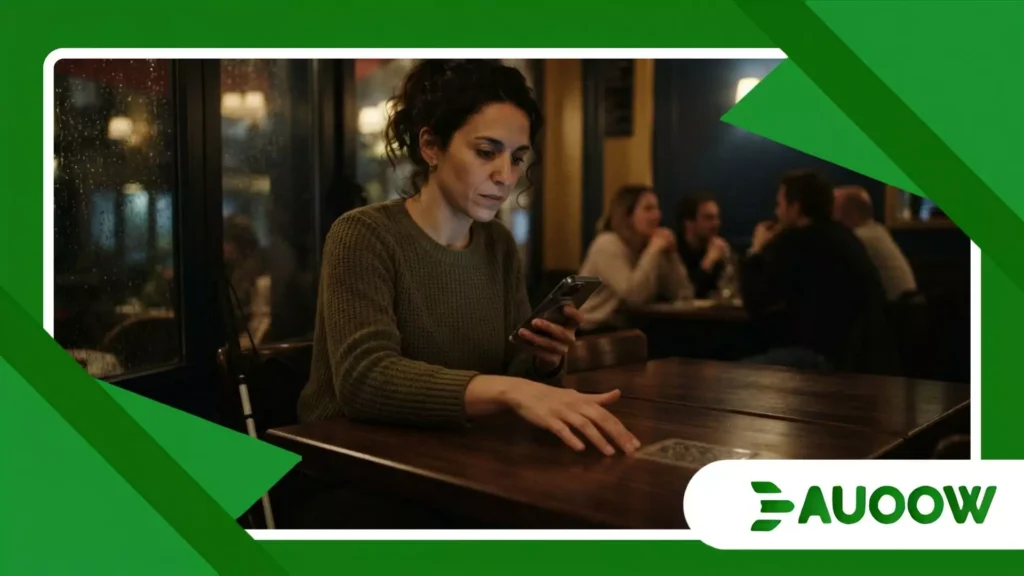
When you step into a dimly lit bistro on a rainy Tuesday evening, accessible QR codes should theoretically be the invisible bridge that connects a blind customer directly to the menu without having to ask a companion to read thirty dinner options aloud.
Yet, for millions of visual impairments users worldwide, the reality unfolding at table after table is far less triumphant.
Picture Elena, a seasoned software accessibility tester who happens to be completely blind, sitting down for a quick lunch.
She pulls out her smartphone, opens her screen reader, and reaches toward the center of the wooden table.
Her fingers sweep across polished mahogany, feeling for a raised sticker, a tactile border, or a high-contrast frame.
She finds a smooth piece of laminated paper glued flat against the surface. There is no tactile outline, no braille indicator, no physical notch to signal where the square begins or ends.
She points her camera blindly at the table, shifting her device inch by inch, waiting for a audible cue that never comes. The technology is digital, but the barrier is entirely physical.
What You Will Discover in This Analysis
- The Physical Phantom: Why seamless digital links fail when physical anchors are forgotten.
- The Structural Oversight: How business incentives prioritized cost-cutting over inclusive design.
- A Historical Continuum: Connecting the architectural legacy of physical ramps to modern screen reader friction.
- Real-World Impact Matrix: A clear comparison of standard deployments versus truly universal standards.
- The Editorial Perspective: Where public policy and developer responsibility must intersect moving forward.
Are accessible QR codes Truly Inclusive or Just Another Trend?
To understand how a tool designed to democratize information ended up isolating users, we have to look past the marketing promises of touchless convenience.
During the sudden acceleration of contactless service, restaurants, transit hubs, and healthcare clinics rushed to replace printed paper with black-and-white matrix codes. It was hailed as a win for hygiene and efficiency.
What rarely enters this debate is that digitizing a barrier does not eliminate it it merely changes its medium.
When a venue relies on accessible QR codes without providing tactile pathways, audio beacons, or proper color contrast, they effectively hide the front door while claiming the building is open to everyone.
There is a structural detail that is routinely ignored in product design meetings: digital accessibility cannot exist in a vacuum.
A screen reader can interpret a beautifully coded HTML menu with flawless semantic headings, but if the user cannot locate or scan the physical trigger, that brilliant code remains entirely theoretical.
When we look more closely at tech rollouts over the past decade, the pattern repeats: speed of deployment routinely trumps universal usability.
++ Smart Home Features That Actually Improve Independence
Why Do We Keep Repeating the Physical-to-Digital Mistake?
The historical parallel here is striking. In the late 20th century, as cities began installing curb cuts and sidewalk ramps following early disability rights movements, urban planners often placed those ramps in locations blocked by streetlights, drainage grates, or parked vehicles.
The physical infrastructure was legally present, yet functionally useless. Today, we are witnessing the exact same logic playing out in digital spaces.
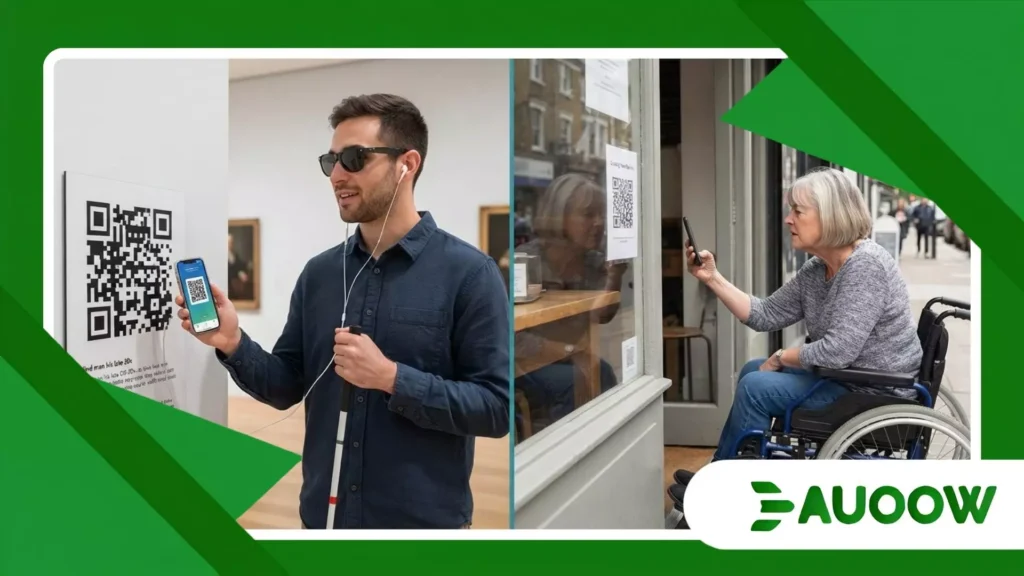
When public transit authorities deploy accessible QR codes across subway stations to offer real-time train arrivals, they frequently paste stickers behind glass display cases or high on wall pillars.
For a low-vision passenger, detecting a two-inch sticker mounted five feet high under glare-heavy fluorescent lighting is virtually impossible.
The policy checks a compliance box, but the actual human experience reveals a profound disconnect between administrative intent and real-world execution.
Read more: The rise of smart crosswalk accessibility in urban mobility plans
How Does Poor Implementation Impact Real Lives?
Consider Marcus, a university student with high-functioning motor tremors and low vision.
Marcus relies on customized tactile cases and precise spatial orientation to navigate his campus library and cafeteria.
When his university switched all course syllabi and dining hall updates exclusively to accessible QR codes, his daily routine stalled.
“It isn’t that I don’t know how to use my phone,” Marcus explained during a regional accessibility forum.
“It’s that the school assumed everyone has steady hands, clear central vision to align a camera frame, and perfect lighting conditions.
I spent fifteen minutes trying to scan a code printed on a glossy poster reflecting direct sunlight, only to give up and ask a stranger for help.”
Stories like Marcus’s demonstrate that accessibility is never just about the digital payload.
It is about the complete chain of interaction, from the physical environment to the user’s assistive hardware.
From my analysis of this scenario, the issue stems from treating accessibility as a software patch rather than a holistic environment.
When companies purchase digital menu subscriptions or public navigation platforms, they buy into the promise of compliance.
They forget that human bodies exist in physical space, interacting with light, shadow, distance, and physical touch.
Also read: Why facial recognition accessibility raises daily access concerns
What Separates a Token Solution from Universal Access?
The table below outlines how common implementations compare to truly inclusive design choices in everyday public environments.
| Deployment Feature | Standard QR Deployment | Fully Accessible Implementation | Human Impact |
| Physical Guidance | Flat, printed sticker on glossy paper | Raised tactile borders, Braille label, high-contrast frame | Enables independent discovery by blind and deafblind users |
| Scanning Range | Requires precise camera alignment within 6 inches | Utilizes wide-angle detection algorithms or bluetooth assistance | Assists users with tremors, limited mobility, or low vision |
| Digital Destination | PDF download or unformatted image menu | Fully structured semantic HTML page compatible with screen readers | Allows text-to-speech navigation, font scaling, and high contrast |
| Environmental Context | Placed at arbitrary heights under overhead lighting | Standardized height, non-glare matte surfaces, consistent placement | Reduces search time and eliminates environmental glare barriers |
Where Should Public Policy and Tech Design Go Next?
The honest analysis suggests that we do not need to abandon mobile scanning technology. Instead, we must hold venue operators and digital developers to a unified standard.
When regulations mandating accessible QR codes are drafted, they must enforce rules for physical placement alongside web content guidelines.
A QR code mounted without a tactile indicator should be viewed as legally equivalent to a door handle installed without a latch unfinished, non-compliant, and fundamentally broken.
Societies do not become accessible through technological novelty alone. True progress happens through quiet, disciplined attention to human diversity.
Until physical anchors catch up with digital ambitions, the digital menu will remain a source of daily friction rather than a tool of freedom.
Editorial FAQ: Real Questions from Navigating Daily Access
Are QR codes legally required to be accessible under federal laws?
In many jurisdictions, public accommodations and businesses are required to provide accessible means of communication under broad disability rights laws, such as the ADA in the United States or the European Accessibility Act.
While specific laws may not always mention QR codes by name, if a business chooses to offer information exclusively through a QR code, that mechanism and the content it links to must be accessible to individuals with disabilities.
Can screen readers scan a QR code directly?
Standard screen readers announce audio information from the smartphone screen, but they do not actively scan the physical world on their own.
Users typically rely on built-in camera apps or specialized assistive scanning applications (such as Seeing AI or Be My Eyes) that provide audio feedback like beeping or spoken guidance to help orient the camera toward the code before reading the linked webpage.
What makes a QR code tactile?
A tactile QR code features physical indicators around or near the printed matrix code. This often includes a raised embossed border, a notched corner to show orientation, or accompanying Braille text beneath the code.
These physical markings allow individuals who are blind or visually impaired to locate the code using touch before pointing their device to scan it.
Why are PDF menus linked to QR codes so difficult to read?
Many businesses simply link QR codes to a static image or an unformatted PDF version of their physical print menu.
These files often lack semantic structure, meaning screen readers cannot decipher the text in logical order.
Furthermore, static PDFs force low-vision users to constantly pinch and zoom across a large document rather than reading clean, reflowable text that adjusts automatically to their screen size.
How can small businesses make their QR codes more accessible without large budgets?
Small businesses can significantly improve access by placing QR codes in consistent, easy-to-reach locations with non-glare, matte finishes.
Adding a simple raised border sticker, offering a high-contrast printed alternative, and ensuring the link opens a basic, well-structured webpage with clean text rather than a heavy document file makes a dramatic difference for all customers.
